Anyone who’s spent time with an AI character generator knows the frustration.
You get a perfect character in one image- right face shape, right outfit, right vibe- and then the next render gives you someone who looks like their distant cousin.
The hair changes, the jawline shifts, and sometimes even the eye color drifts.
A Consistent Character Generator solves this by locking identity across outputs, but understanding why the problem exists in the first place helps you get better results no matter which tool you use.
Why AI Characters Keep Changing Between Images?
Most image generation models don’t carry any concept of persistent identity.
Each image is generated independently, so when you type “a red-haired woman in a leather jacket,” the model interprets that fresh every single time.
There’s no memory linking one output to the next, which means even identical prompts produce different faces, proportions, and features.
This is fine for standalone artwork.
It falls apart the moment you need a character to appear in multiple scenes, whether that’s a comic strip, a children’s book, a brand mascot, or a social media series.
Seed values help somewhat, since locking a random seed forces the same noise pattern and nudges outputs toward similarity.
But change the pose, the background, or the framing even slightly, and the character drifts again.
Seeds are a stabilizer, not a solution.
What Actually Works for Character Consistency?
The approaches that deliver real results vary in complexity, but they share one thing in common: they give the model a visual anchor to hold onto.
Reference image training is the most reliable path.
Tools like DreamBooth and LoRA fine-tuning let you train a model on 10 to 20 reference images of the same character from different angles.
Once trained, the model understands that character as a learned concept and can place them in new scenes while keeping facial features, body type, and distinctive details intact.
DreamBooth requires more compute but captures finer detail, while LoRA is lighter and faster to train.
Face-locking tools offer a middle ground.
Instead of full fine-tuning, these inject a reference face into the generation pipeline using a single source image.
The results aren’t as tight as a trained LoRA, but the setup takes minutes instead of hours.
Character sheets are an older technique that still works surprisingly well.
You generate a single image showing your character from multiple angles in a neutral pose: front, three-quarter, profile, and back.
This turnaround sheet then becomes your visual reference for subsequent generations, anchoring the model’s interpretation enough to keep things recognizable across outputs.
Prompt Engineering That Supports Consistency
Even with the right tools, sloppy prompting undermines consistency.
Build a character prompt template and reuse it verbatim.
Include specific details like “woman, age 30, sharp jawline, dark brown shoulder-length wavy hair, green eyes, light freckles across nose bridge.”
Vague descriptions like “pretty woman with brown hair” give the model too much room to improvise.
The more anatomically specific your prompt, the less variance you get between renders.
Negative prompts matter here too.
Excluding things like “extra fingers, deformed face, asymmetric eyes” isn’t just about quality.
It reduces the range of acceptable outputs, which indirectly tightens consistency by narrowing the space the model can wander in.
Style anchors are equally important.
If your character lives in a particular visual style, keep that style descriptor locked across every generation.
Mixing styles between images is one of the fastest ways to lose character recognition, because style affects proportions, shading, and feature rendering.
Workflows for Specific Use Cases
Comic and webtoon creators typically combine LoRA training with pose guidance.
The LoRA handles facial identity while pose control locks body positioning, letting you generate panel after panel where the character looks the same but moves naturally through different compositions.
Children’s book illustrators lean toward face-locking paired with a fixed art style.
The double-layer approach, one setting for character and one for style, keeps both the character and the illustration aesthetic stable across 20 to 30 pages.
Brand and marketing teams tend to favor the simplest pipeline that delivers usable results.
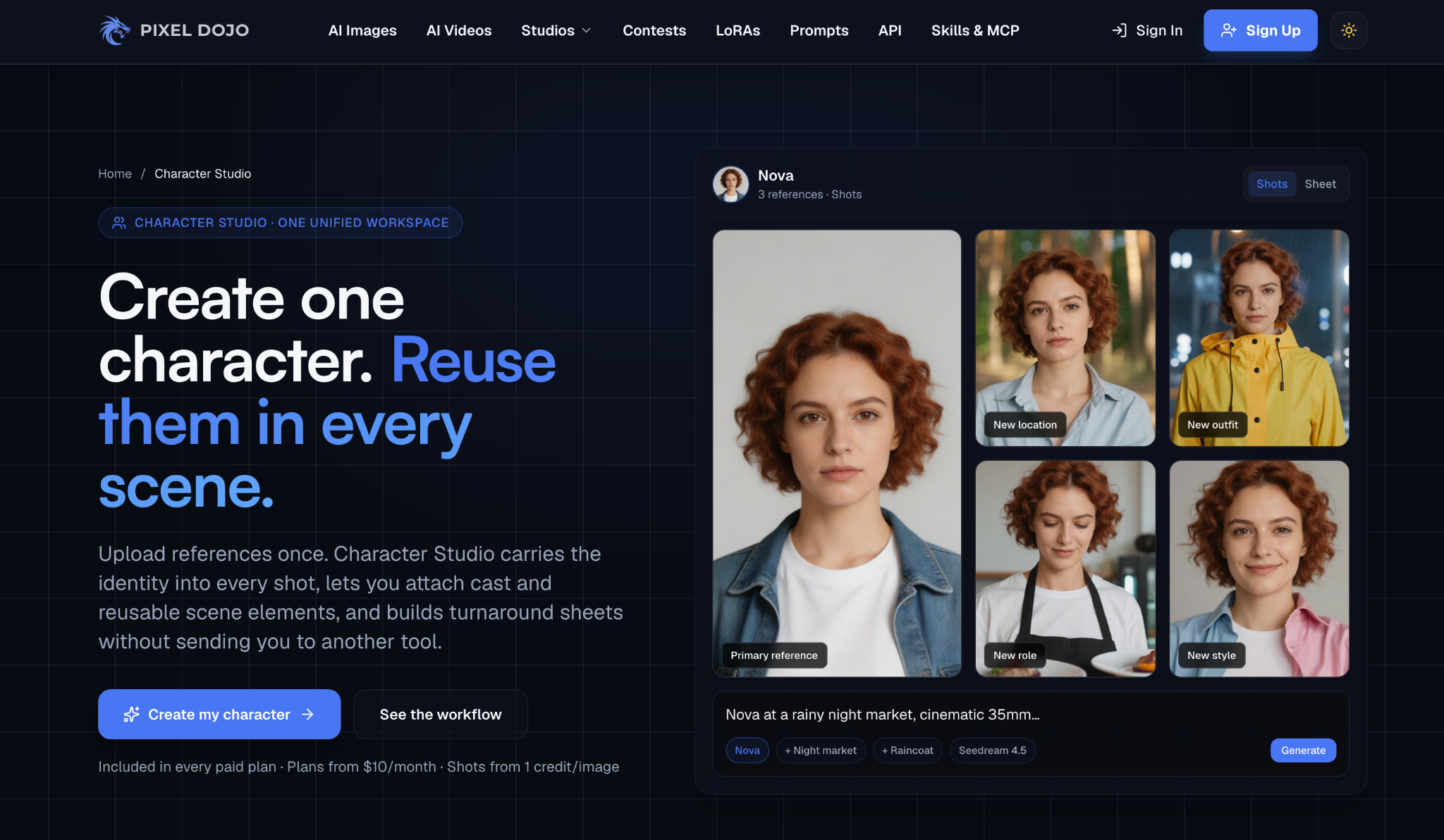
Pixel Dojo, for instance, is one of the communities where creators share workflows for getting repeatable character output without needing deep technical knowledge.
Speed and reliability matter more than maximum control when the team doesn’t include someone comfortable with model weights and training scripts.
Common Mistakes That Break Consistency
Changing aspect ratios between images is a subtle but real problem.
A character rendered at 512×768 won’t look the same at 1024×1024 because the model redistributes features to fill the new canvas shape.
Pick a resolution and stick with it for a given character set.
Over-relying on prompt weight syntax creates unpredictable results.
Cranking up the weight on facial features doesn’t make them more consistent; it makes them more exaggerated.
Use weights sparingly and test changes one at a time.
Switching between model checkpoints mid-project is another consistency killer.
A character trained or referenced against one checkpoint will not look the same when run through a different one, because each checkpoint has its own interpretation of features, proportions, and color rendering.
Commit to one checkpoint per character project.
Where This Is Headed?
The consistency problem is one of the most actively worked-on challenges in generative AI.
Emerging multi-frame architectures are starting to build identity persistence directly into the generation process, rather than relying on external tools to bolt it on.
Story-diffusion approaches that generate multiple panels in a single pass, with shared character embeddings across frames, are already showing promising results.
For now, the practical answer is a combination of the right AI character generator and a disciplined workflow.
Lock down the face, lock down the style, lock down the resolution, and build a prompt template you don’t deviate from without good reason.
A year ago, getting a consistent character across ten images was a weekend project requiring real technical skill.
Today, the right tools bring that down to minutes, and the gap keeps shrinking.